Consulting

Resource management for consulting firms

When employees move between clients, projects, and offices, IT needs to keep up without losing track of devices, licenses, or costs. equipme handles the full resource lifecycle, so you always know what's assigned, what's running, and what it costs.

Book a demo
Free trial
The Problem

Why IT teams struggle with
distributed consultants

Consultants switch projects, change offices, and move on and every time they do, IT has to scramble. Resources scatter, licenses pile up, and onboarding never quite runs smoothly.

No internal shop for resources

Employees expect to request resources the same way they shop online. Without a structured catalog, requests are scattered and IT spends more time fielding questions than managing resources.

Onboarding isn’t fast enough

Without a standardized process, every hire means a fresh round of manual setups, license assignments, and access requests handled differently every time

search icon

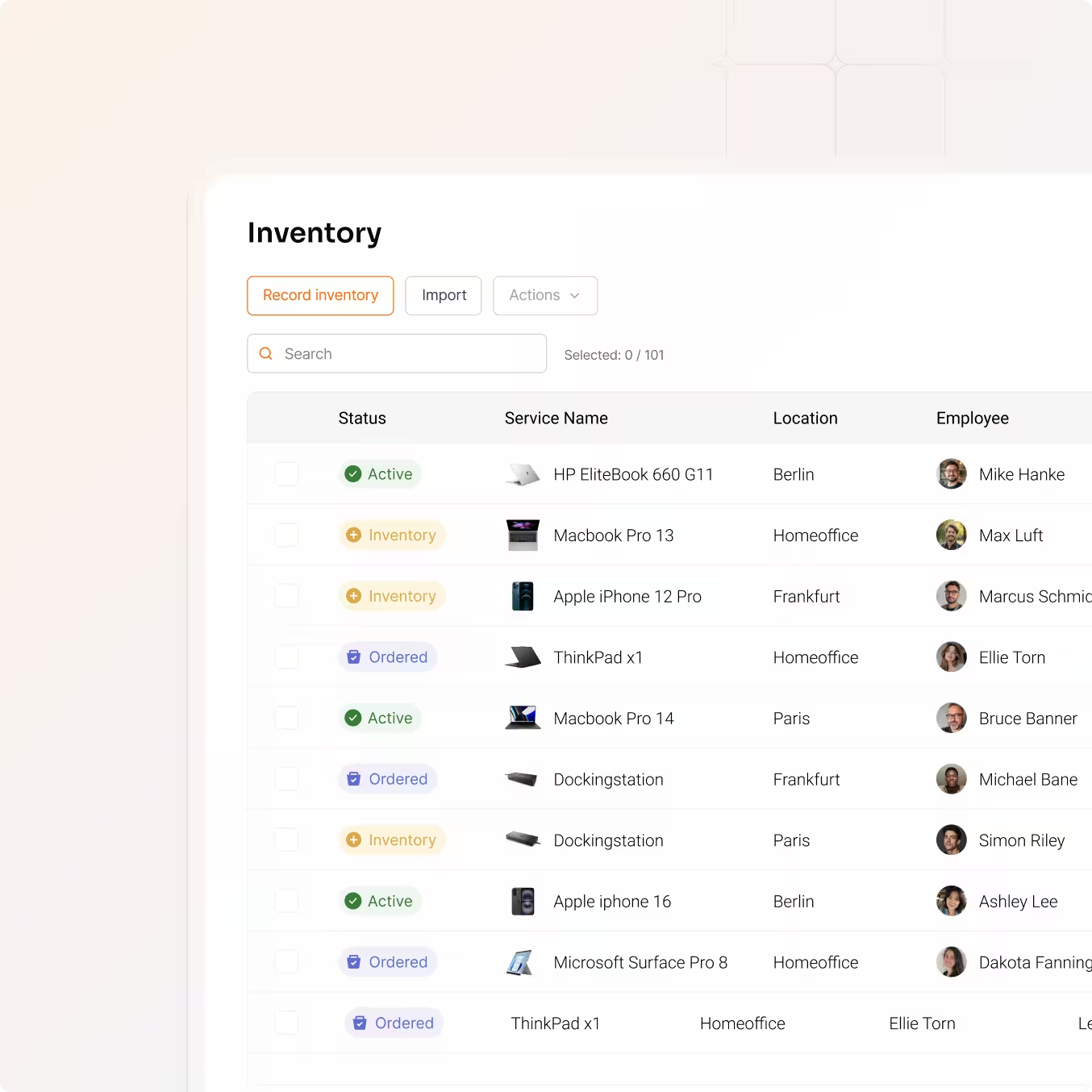
Nobody knows who has what

When consultants switch projects, laptops and licenses move with them. Devices end up at client sites, software stays active for people who moved on, and IT has no reliable overview.

No cost visibility per project or client

Which resources are running on which engagement? Costs are tracked globally at best and never at the project or client level where they actually matter.

Bad IT setup is a reputation problem

In consulting, first impressions happen at the client site. When a consultant shows up with a slow machine, missing access, or the wrong tools, it reflects on the firm.

The Solution

A modern IT experience, built for the way your team works

equipme brings together asset tracking, employee onboarding, cost allocation, and self-service so your team can focus on the work that actually moves the business forward.

Self-Service

Offer a modern employee experience via self service

Equipme gives every employee a personal self-service portal where they can see all assigned resources, browse a curated catalog, and request what they need without contacting IT.

  • Let employees choose their own devices from a curated catalog
  • Full transparency over assigned resources, contracts, and request history
  • Requests route to the right approver without IT involvement
Explore Self-Service
Asset Management

Track every asset wherever it goes

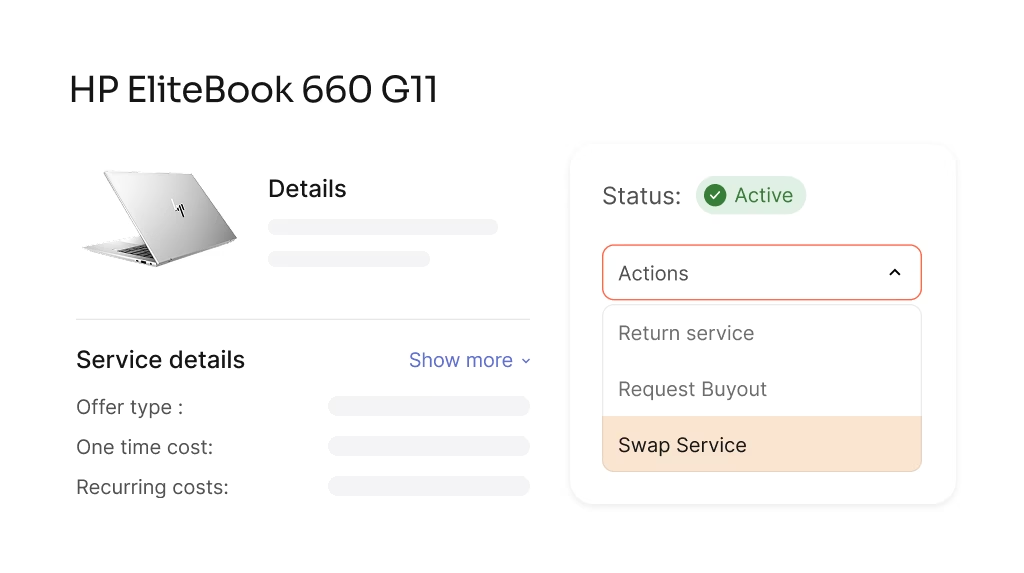
Every device gets a full history: who has it, where it's been, and when it's due back. When a consultant moves to a new engagement, equipme moves with them.

  • Track devices and licenses by employee and active project
  • Get notified when assets are not returned after a project ends
  • Full assignment history from first deployment to return
Explore Asset Management
Onboarding

Every new hire fully set up before day one

In consulting, time to productivity matters. equipme automates the entire onboarding process from the moment a hire is confirmed to the day they walk in.

  • Trigger onboarding workflows automatically when a new hire is added in your HR system
  • Pre-configured role templates ensure every consultant gets exactly the right setup
  • No manual coordination between IT, HR, and procurement
Explore On- & Offboarding
Controlling

Allocate IT costs directly to client engagements

equipme lets you assign costs at the project and client level so you always know what each engagement actually costs in IT in real time, not at the end of the quarter.

  • Track IT costs per project, client, and consultant
  • Set budget caps per engagement with automatic alerts when limits approach
  • Export project-level cost reports when Finance needs them
  • Explore Controlling
    a blue and orange gradient
    a blue and orange gradient

    One platform for all your stores IT & resources

    You're tracking assets across projects, people, and locations all at once. equipme gives IT the visibility and control to handle it without the manual work.

    Talk to an expert
    View all features
    All your resources

    Everything your locations needs
    in one place

    equipme handles the full spectrum of resources your locations depend on – from IT infrastructure to facility management and vendor contracts. One platform, complete visibility, zero chaos.

    No items found.
    No items found.

    FAQs

    Managing IT across a distributed consulting team raises specific questions. Here's what IT managers ask us most about.

    Contact Support
    What happens to resources and access when a consultant leaves?

    Offboarding workflows trigger automatically. The consultant receives return instructions, managers see all outstanding resources, and IT keeps full visibility until everything is retrieved and access is revoked. Nothing slips through when someone leaves.

    How do we handle licenses when someone rolls off a project?

    equipme tracks every license against the employee and project assigned to it. When a project ends or a consultant changes roles, you get a clear view of what's still active and what can be reassigned or cancelled. You catch unused licenses before the next billing cycle, not after.

    How does equipme track assets when consultants work at client sites?

    Every asset is assigned to an employee, not a location. When a consultant leaves for a client engagement, the assignment stays active and the asset remains visible in equipme. You see who has it, since when, and when it's due back regardless of where they're working.

    Can we allocate resource costs per project or client?

    Yes. Every resource can be assigned to multiple cost dimensions simultaneously — department, project, and client. Costs update automatically as assignments change, so you always have an accurate picture of what each engagement is actually costing in IT resources.

    Can we build standardized onboarding packages for different roles?

    You can create role-based onboarding bundles that combine hardware, software licenses, and access rights into one requestable package. When a new hire joins, the right setup gets triggered automatically based on their role.