Marketplace

All resources in one searchable catalog

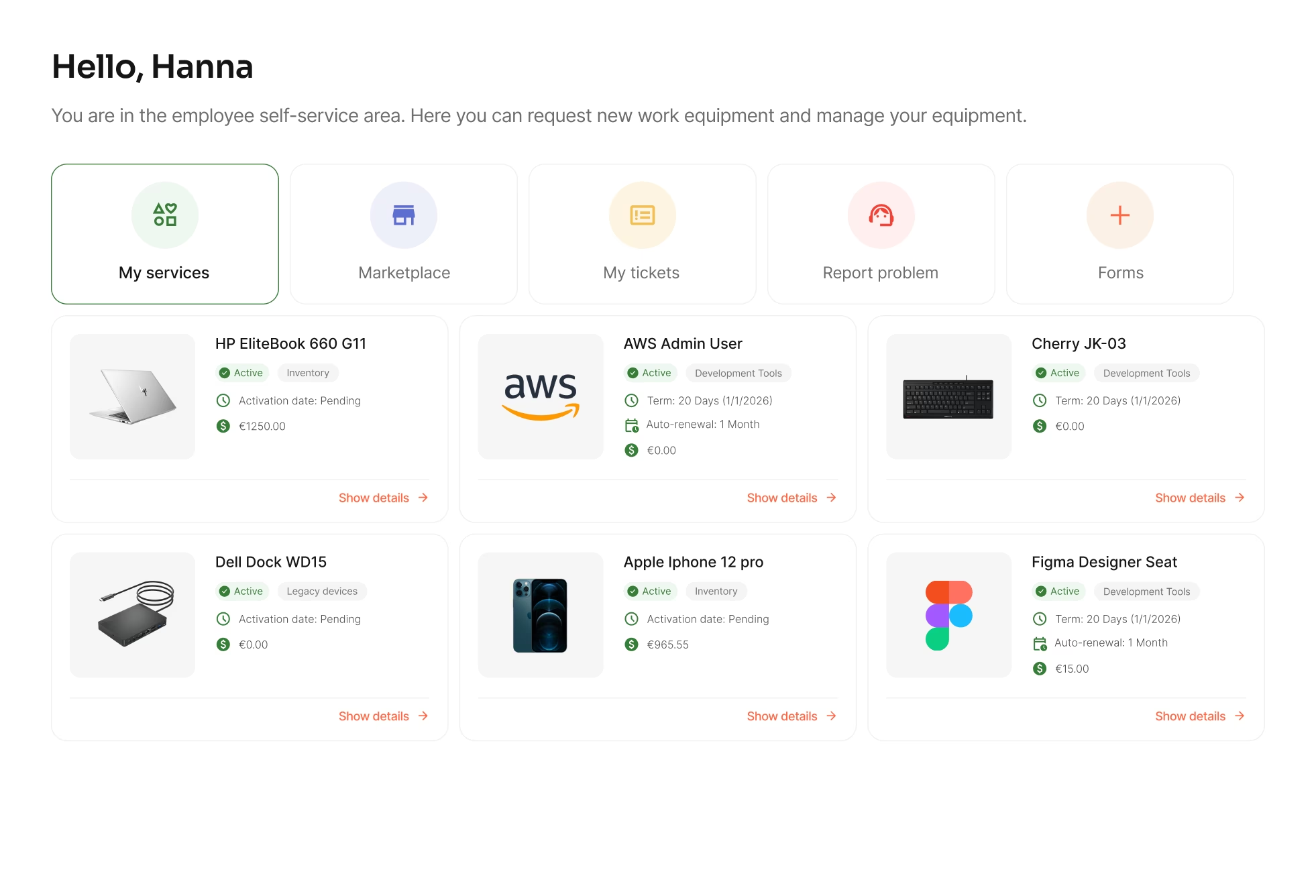
Marketplace brings all hardware, software, and services into one catalog. Employees find what they need instantly while IT keeps full approval visibility.

Free trial
Book a demo
Benefits

The impact of one central marketplace

One catalog for your entire organization

No more hidden resources or outdated lists. Marketplace gives your organization one transparent view of everything that can be requested.

Customize catalog by role or department

You define what's in the catalog and who sees it. Employees only request approved resources with no out-of-scope asks.

Get structured requests from day one

Employees select products, variants, and delivery details upfront. No more incomplete tickets or back-and-forth to clarify what they actually need.

Prevent shadow IT before it starts

When employees can easily find and request what they need, they don't go around IT. One catalog keeps everything visible and trackable.

Create

Bring all resources into one place

Physical devices, software, access rights, subscriptions: everything your organization offers, in one searchable catalog.

  • Combine hardware, software, contracts and services in a single view
  • Organize by category, department, or resource type
  • Support simple products, configurable services and bundles
Scope

Define who sees what

Not every employee needs access to every resource. Create scoped catalogs based on role, department, or location.

  • Show employees only the resources relevant to them
  • Reduce wrong requests and out-of-scope asks
  • Set up once, update anytime – no manual list maintenance
Offer

Let employees find what they need

Marketplace works like the online shops your team already knows. Search, filter, sort and save views for quick access later.

  • Filter and sort by category, availability, or resource type
  • See full product details, images, and descriptions
  • Browse, compare, and request without asking IT
Integrate

Combine internal and external offerings

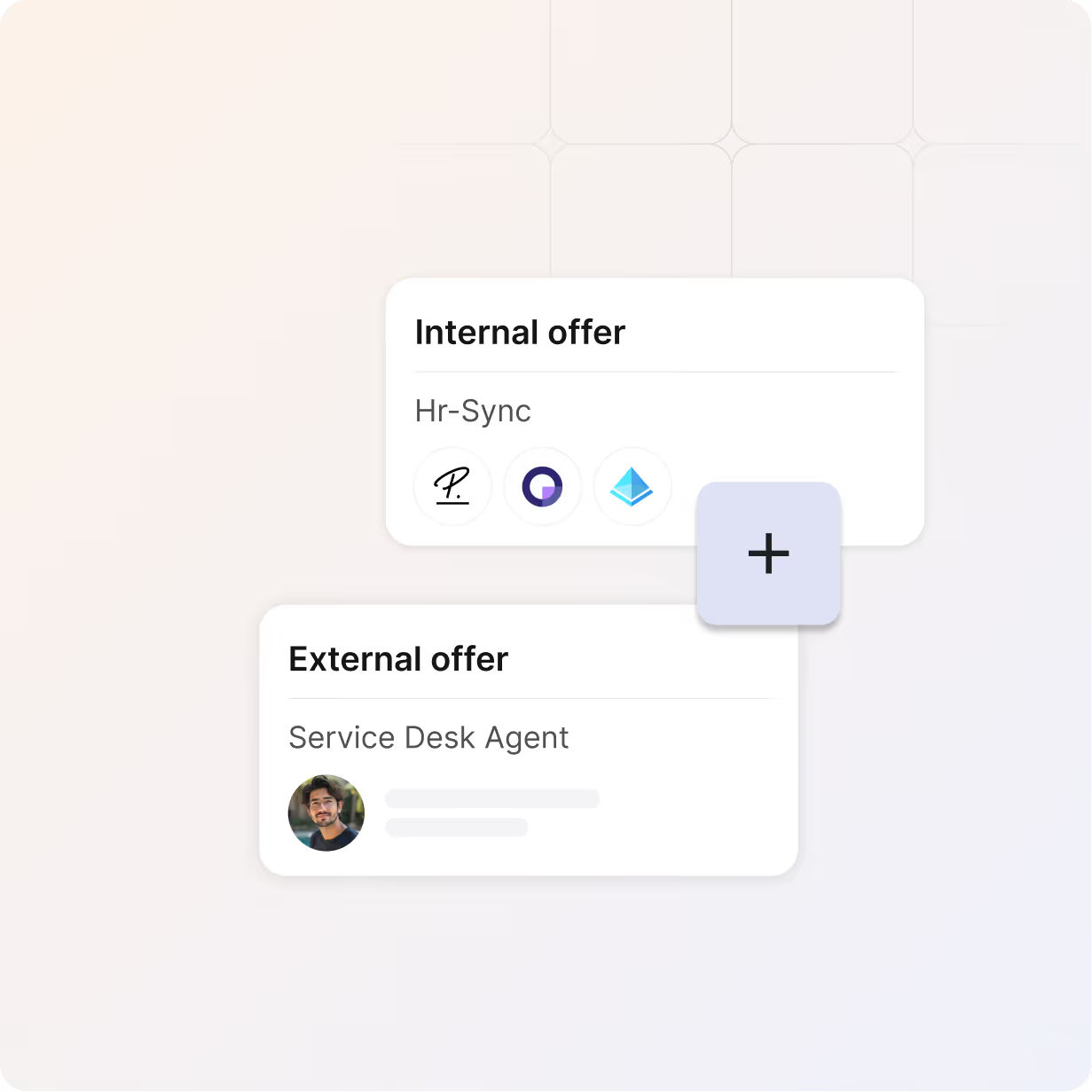
Mix your internal IT services with external supplier catalogs. Employees see one unified marketplace.

  • Connect external vendor catalogs via Partner Connect
  • Offer internal services for business
  • One catalog for employees, multiple sources for IT
Bundle

Offer ready-made packages

Combine hardware, software, and services into bundles employees can request with one click. Perfect for onboarding or role-based setups.

  • Create bundles like "Marketing Manager Kit" or "Developer Setup"
  • Automate what new hires receive on day one
  • Save time on repetitive multi-item requests
a blue and orange gradient

Turn services into self-service marketplace

Create your resource catalog, set permissions, and give your organization a self-service experience.

Free Trial
Book a demo
a red and white logo
a colorful letter g on a black background
a white and black logo
a red and white logo
a colorful logo with a black background
a colorful logo on a purple background
a colorful logo with a triangle
a black letter w on a white background
a blue and white logo
a colorful letter g on a black background
a white letter on a red background
a white logo on a red background
a white elephant head on a green background
a colorful logo with a triangle
a black letter w on a white background
a blue and white logo
a white letter on a red background
Integrations

Connects with vendors

Whether your suppliers are already on the platform or you're inviting new ones, everything flows through one central connection point. Access a growing ecosystem of vendor partners already integrated with equipme.

Read more
More Features

Complete your

resource lifecycle

Approvals work best when it's connected to the rest of your processes. These features work seamlessly together to give you full control over your resources from request to resolution.

Vendor Management

Track the total cost of your resources, forecast spending, and show exactly where your IT budget goes.

Learn more

Ticketing System

Report issues, route tickets automatically, and resolve them faster with full resource context.

Learn more

Self-Service

Let your team request the resources they, reducing IT tickets and speeding up fulfillment process.

Learn more

Asset Management

Track all your resources in one place & lways know what you have, where it is, and what it costs.

Learn more

FAQs

Get answers to the questions IT managers ask most about onboarding, offboarding, and keeping transitions organized.

Contact Support
How do I control who sees what in the catalog?

Use role-based catalog scoping. Define visibility by role, department, or location so employees only see resources relevant to them. Adjust anytime as your organization changes.

Can I combine internal services with external vendor offerings?

Yes. Connect external supplier catalogs via Partner Connect and display them alongside your internal IT services. Employees see one unified Marketplace and you manage multiple sources behind the scenes.

How do requests from Marketplace get processed?

Every request flows through your configured approval workflow. Once approved, it becomes an order that's either fulfilled internally from your warehouse stock or automatically routed to external suppliers for procurement. The entire process is trackable in the system until delivery and assignment.

What are service bundles?

Bundles combine multiple resources into one requestable package like a "Marketing Manager Kit" with laptop, software, and access rights. Perfect for onboarding or standardized role setups.

What resource types can I add to the Marketplace?

Marketplace supports nearly all resource types: hardware, software, licenses, access rights, subscriptions, and services. You can also add office supplies, facilities resources, or anything else employees need to request.

Can I use Marketplace across multiple countries and currencies?

Yes. Marketplace supports international operations with multi-currency and country-specific configurations. For organizations operating in multiple currencies simultaneously, contact us to activate the multi-currency feature. Country handling uses standard country codes in addresses, supporting region-specific requirements automatically.