On- & Offboarding

Every new hire ready & departure tracked

Automate onboarding workflows and offboarding procedures so nothing falls through the cracks. Reduce manual coordination, eliminate errors, and relieve your IT team.

Free trial
Book a demo
Benefits

Standardize your onboarding and offboarding processes

Save your team time on every transition

New hires get fully equipped in hours, not days. Offboarding happens systematically instead of as a chaotic scramble. Workflows handle what humans used to coordinate manually.

Reduce errors and lost resources

Manual handoffs create blind spots. Automated checklists ensure nothing gets forgotten and devices are retrieved, access is revoked, licenses are deactivated.

Create unified approval processes

equipme routes requests to the right people automatically, maintains complete audit trails, and ensures every approval follows your company's rules.

Stay audit-ready without the scramble

Every onboarding and offboarding decision is logged automatically. Compliance reports generate instantly instead of requiring weeks of chasing records across systems.
Track

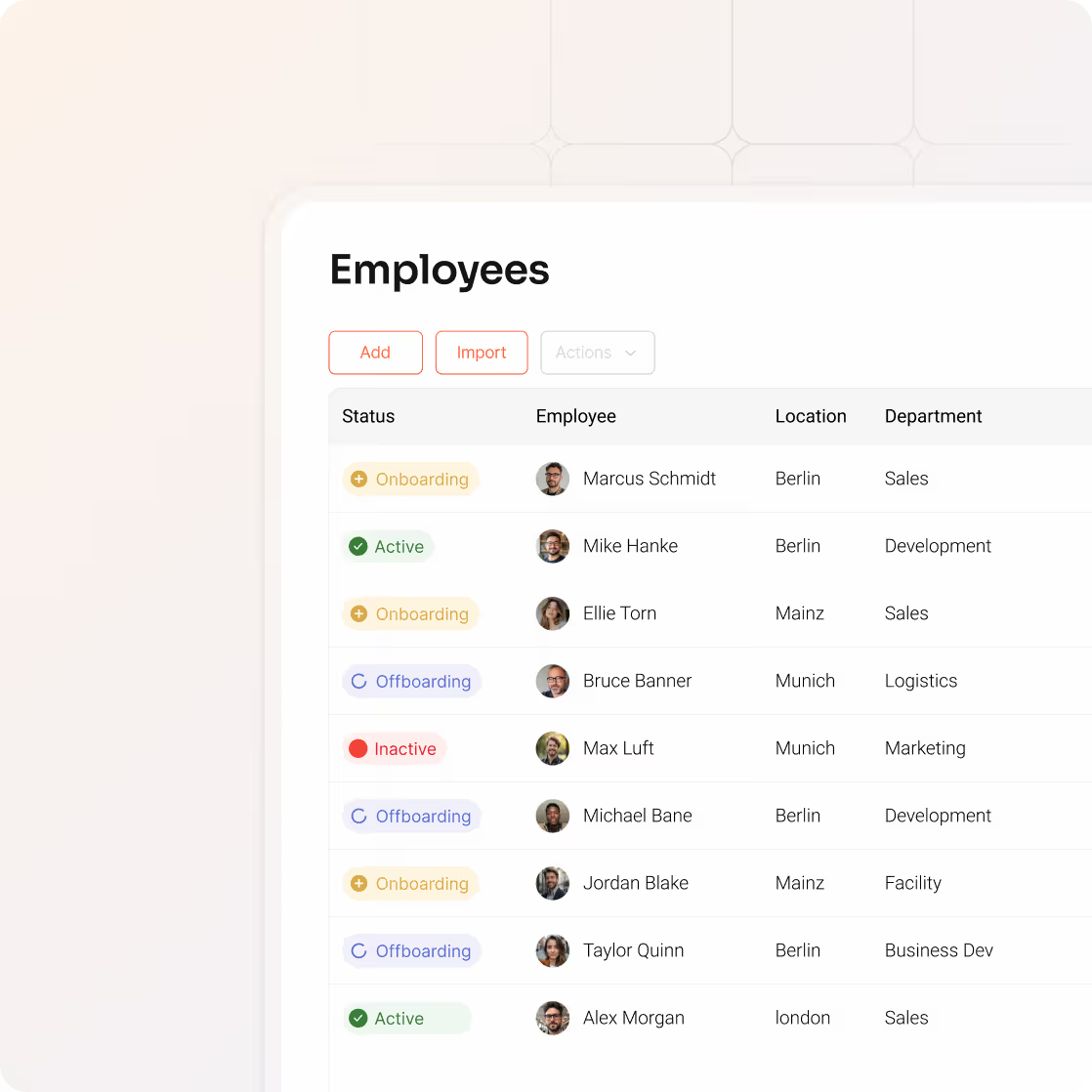
Track every stage of employee status

Employee status isn't just a label. It's a trigger that automatically initiates the right workflows at the right time.

  • Track every stage: Onboarding, Active, On leave, Offboarding
  • Create views for oversight like "All offboarding this month"
  • Status changes trigger automated workflows automatically
Sync

Sync employees from your HR system

Connect your HR system and new employees appear in equipme automatically. Updates like transfers and departures sync instantly.

  • Automatic sync from over 60+ HR systems
  • Manual adding available for quick adjustments when needed
  • Employee details update automatically
Create

Create role-based resource templates

Define what each role receives automatically. No more guessing what a new developer or sales manager needs.

  • Same setup for the role every time ensures consistency
  • Automatically assign templates based on role and location
  • Mix hardware, software, access rights, and services in one bundle
Offboard

Coordinate offboarding

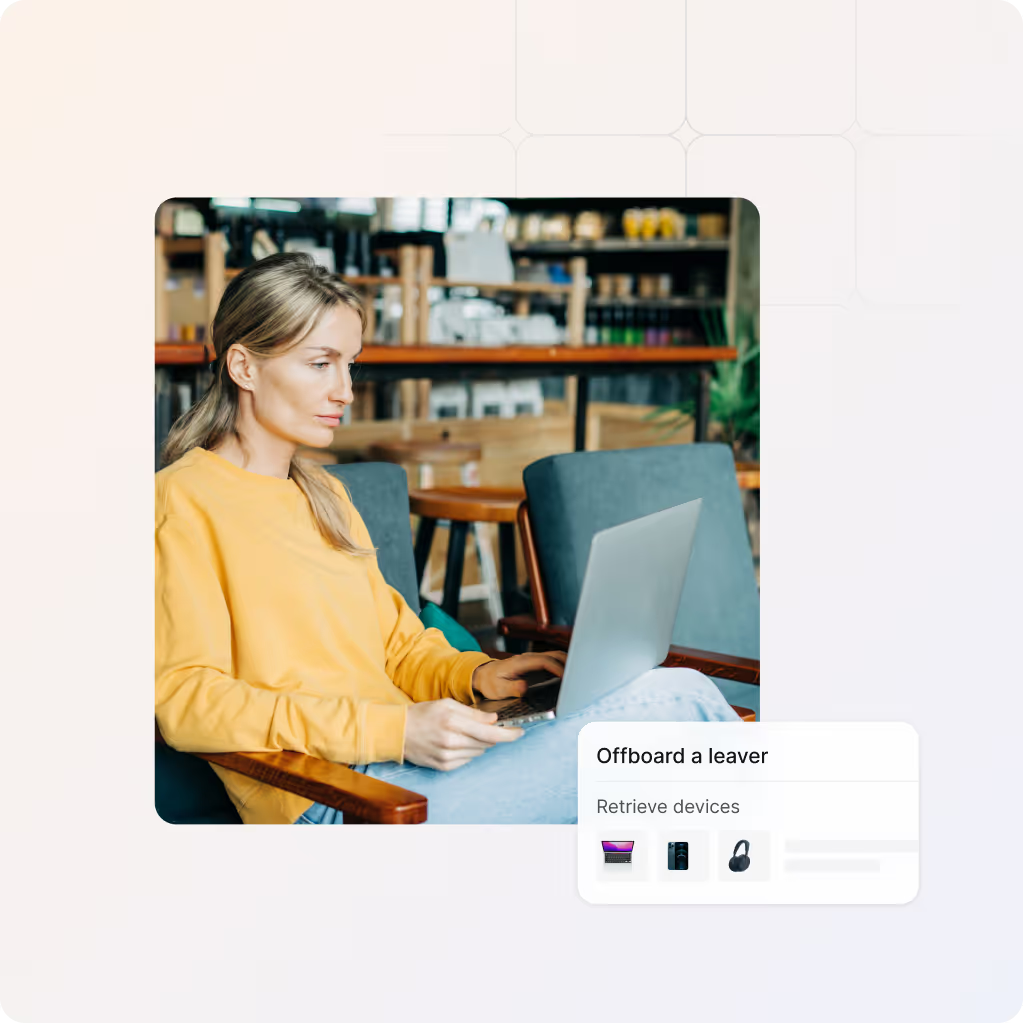
When you change an employee's status to "Offboarding," equipme coordinates the entire process and tracks every step.

  • Trigger device retrieval and track completion
  • Deactivate licenses and access automatically
  • See which resources haven't been returned so nothing gets forgotten
Document

Document every transition for audits

Every onboarding and offboarding action is logged automatically so you're always ready for compliance reviews.

  • Audit log for every resource assignment and return
  • Track who approved what and when
  • Maintain proof of every onboarding and offboarding
Integrations

Keep data in sync across all your systems

equipme connects to your HR systems, procurement systems, ERP, and fulfillment tools so inventory data stays accurate and manual updates become a thing of the past.

a colorful logo with a triangle
a blue pyramid with black lines
a blue diamond with white dots
a logo of a company
a colorful logo on a purple background
a colorful logo with a triangle
All Integrations
a blue and orange gradient

Turn transitions into a smooth process

Stop coordinating onboarding and offboarding manually. equipme handles the process so your team can focus on what matters.

Free Trial
Book a demo
More Features

Complete your

resource lifecycle

Approvals work best when it's connected to the rest of your processes. These features work seamlessly together to give you full control over your resources from request to resolution.

Self-Service

Let your team request the resources they, reducing IT tickets and speeding up fulfillment process.

Learn more

Workflow Engine

Automate any process with a visual drag-and-drop builder.

Learn more

Warehouse Management

Track inventory across locations, fulfill requests from stock, and manage returns.

Learn more

Marketplace

Browse, request, and order resources from one catalog.

Learn more

FAQs

Get answers to the questions IT managers ask most about tracking assets, controlling costs, and keeping everything organized.

Contact Support
How do we add employees to equipme?

You can add employees manually for quick adjustments, import them via Excel for bulk uploads, or connect your HR system (Workday, BambooHR, etc.) for automatic sync.

What happens when we change an employee's status to "Offboarding"?

When you mark an employee as "Offboarding," equipme automatically initiates the full process: devices are flagged for retrieval, licenses are marked for deactivation, access is revoked, and managers see outstanding resources. You can also connect to external providers to trigger their offboarding services. Everything is tracked until complete.

What data can we track about offboarded employees?

equipme maintains a complete audit trail: when resources were assigned, who approved access, when they were retrieved, when access was revoked. This audit trail covers the entire asset lifecycle and is essential for compliance audits.

How do we handle devices that's not returned on time?

You'll see outstanding resources immediately in the offboarding dashboard. Set reminders, escalate to managers, or block account access until devices are returned.

Can multiple locations use different onboarding templates?

Yes. Create location-specific or role-specific templates. Berlin office might provision different tools than your Vienna office. equipme applies the right template based on the employee's location and role.