Ticketing System

Solve tickets faster with AI

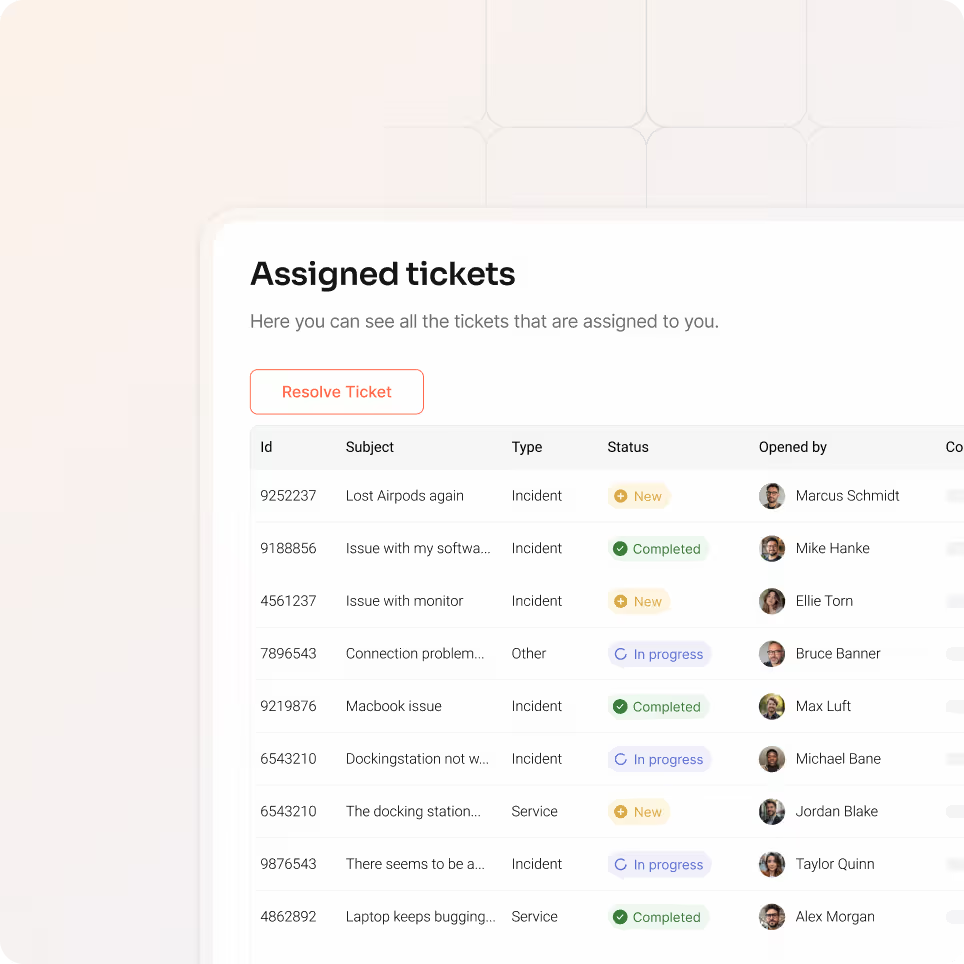
Every support ticket arrives with complete context. Our AI then analyzes the ticket to suggest the right fix instantly. Your team reviews, approves, and closes tickets faster.

Free trial
Book a demo
Benefits

Why equipme tickets work faster

Save time with AI-powered suggestions

AI recommendations based on best practices eliminate the time your team spends searching for solutions. What took hours of research now takes minutes to validate and implement.

Get all the context you need upfront

Complete device details, warranty status, and service provider information arrive with every ticket. Your team has everything needed to solve issues without follow-up questions.

Ticket routing

Asset context and ticket intelligence automatically route requests to the right person or external provider. No more bouncing between teams. Problems reach solutions faster.

Collaborate and solve together

Your entire team works on the same ticket with real-time updates and shared notes. Track progress, share context, and maintain accountability. No more siloed communication or lost information.

Report

Let employees report issues directly in equipme

Employees submit IT issues and service requests directly through equipme in Self-Service.

  • Create and manage tickets in the self-service portal
  • View ticket status and receive notifications for every update
  • Track complete request history from creation to closure
Context

Know the full resource context instantly

Every ticket is connected to your asset management system, so your team sees all relevant information instantly.

  • See asset history and identify patterns from previous issues
  • See who owns it, where it's located, and what the asset is
  • Access complete user information
Route

Route tickets automatically based on your rules

Asset context and request details automatically determine where each ticket goes.

  • Send internal tickets to the responsible person automatically
  • Route to external providers with complete context
  • Reduce back-and-forth communication and ticket reassignments
Collaborate

Real-time collaboration and transparency

Your team works on the same ticket with real-time updates and shared notes. Everyone stays informed about status, progress, and accountability.

  • Track all tickets from one overview dashboard
  • Add notes, updates, and task assignments within each ticket
  • Receive real-time notifications via email for every change
AI

Get AI-powered suggestions

When a ticket arrives, AI suggests solutions based on your best practices and resolved issues.

  • Analyze tickets against your knowledge base and rules
  • Deliver recommendations to reduce research time
  • Validate suggestions in seconds and implement in minutes
Integrations

Keep data in sync across all your systems

equipme connects to your HR systems, procurement systems, ERP, and fulfillment tools so inventory data stays accurate and manual updates become a thing of the past.


a colorful logo with a triangle
a colorful logo with a black background
a blue pyramid with black lines
a blue diamond with white dots
a logo of a company
a colorful logo on a purple background
a colorful logo with a triangle
All Integrations
a blue and orange gradient

Ready to solve tickets faster?

Start your free trial and see how AI-powered ticketing transforms your support workflow.

Free Trial
Book a demo
More Features

Complete your

resource lifecycle

Approvals work best when it's connected to the rest of your processes. These features work seamlessly together to give you full control over your resources from request to resolution.

On- & Offboarding

Automate resource setup for new hires and retrieval when they leave.

Learn more

Warehouse Management

Track inventory across locations, fulfill requests from stock, and manage returns.

Learn more

Asset Management

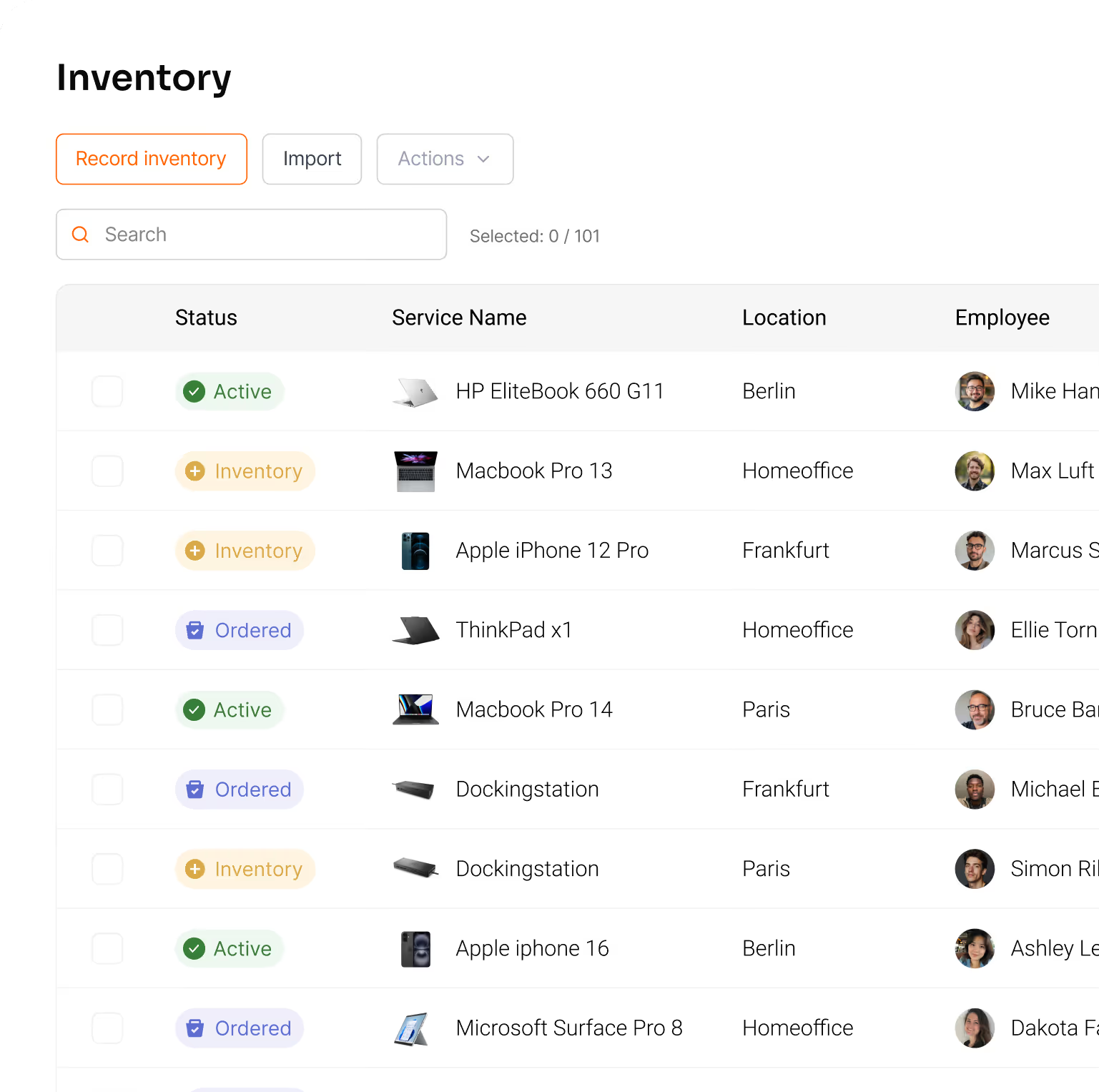
Track all your resources in one place & lways know what you have, where it is, and what it costs.
Learn more

Controlling

Track the total cost of your resources, forecast spending, and show exactly where your IT budget goes.

Learn more

FAQs

Learn how AI recommendations, asset context, and automated routing work together to eliminate manual ticket management.

Contact Support
How does automatic routing actually decide where a ticket goes?

Routing is based on asset ownership and request type. If a ticket is about a specific device, it routes to the person responsible for that asset. If it's a general request, it routes based on your configured workflows. You define the routing rules to match your team structure.

What happens when an external provider receives a ticket?

External providers receive the complete ticket with all asset context, user information, and service agreement details. They can collaborate within the ticket, provide updates, and your IT team maintains full visibility. No more forwarding emails back and forth.

How does the AI assistant feature actually work?

equipme's AI Assistant acts as an active helper, not just a suggestion engine. It analyzes tickets, identifies patterns in your ticket history, and recommends solutions. Your team reviews what matters and lets the AI handle the rest.

Can employees create tickets for other team members?

Employees typically create tickets for themselves through their self-service portal. However, IT managers can create tickets on behalf of employees if needed. Tickets always show who reported the issue and who it's assigned to for complete accountability.

Can we use Ticketing System if we already have another helpdesk tool?

Yes. equipme Ticketing System is designed to work alongside or replace existing tools. You can connect other ticket systems and platforms to sync data automatically. Many customers use equipme as their primary ticketing layer while maintaining integrations with specialized tools.

Can we track which team works on a ticket?

Yes. equipme provides complete audit trails showing who worked on each ticket, what changes were made, and when. You can see ticket status history and track progress from creation to closure. This data helps you identify bottlenecks and ensure accountability across your team.