Controlling

Track costs, orders, and performance

equipme gives you complete financial and operational visibility across all your resources. See exactly where your budget goes, what's being ordered, and what needs attention.

Free trial
Book a demo
Benefits

Controlling that covers everything

Never lose track of an order again

Every order from every supplier tracked in one place. No more "Where's my laptop?" emails. or lost deliveries. Just one view that shows you exactly what's coming and when.

Know your numbers before finance asks

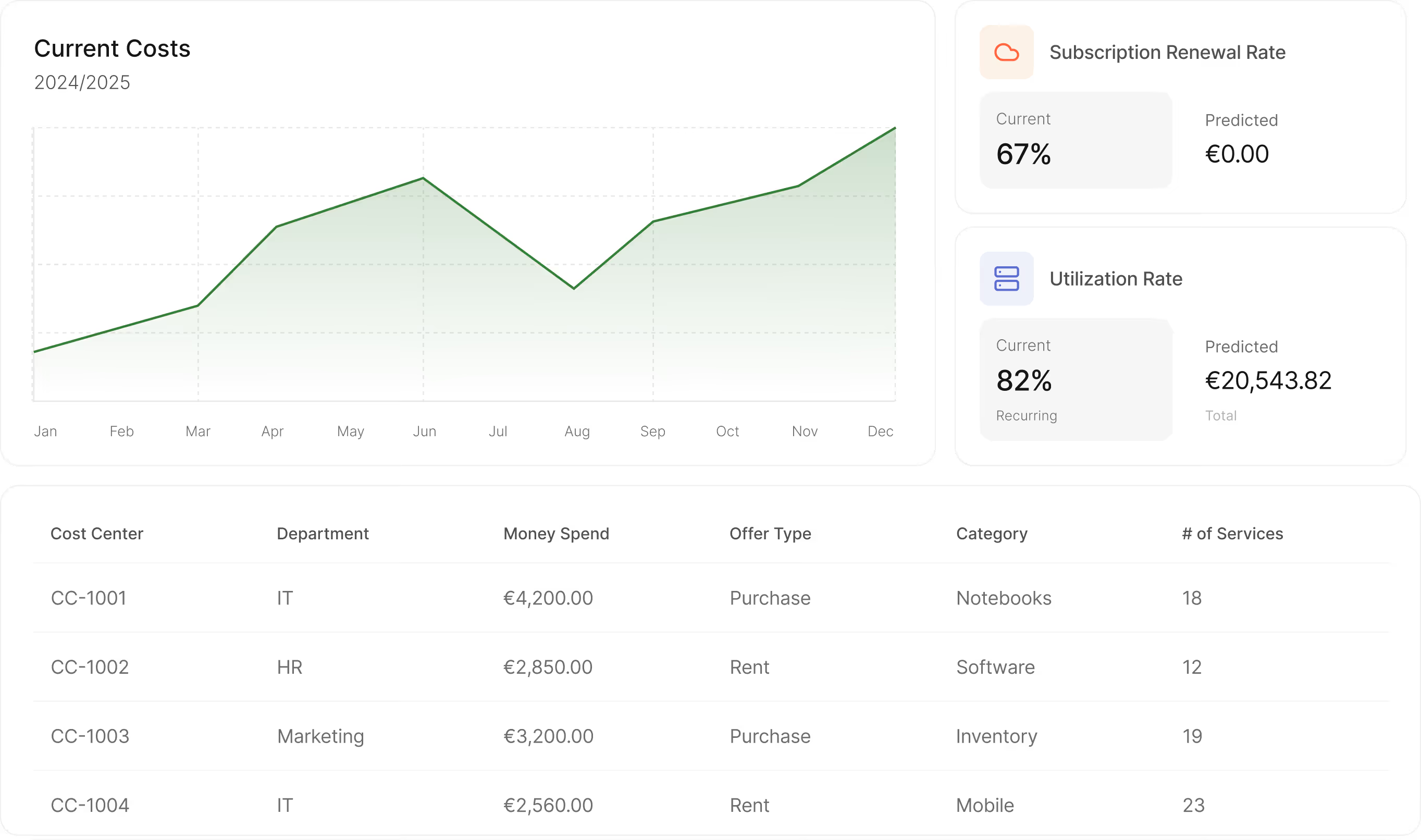
See current costs, budget status, and forecasts in one dashboard. When finance asks "What are we spending?" – you have the answer immediately.

Audit-ready reports all the time

Every cost assignment, budget change, and order is tracked automatically. When audits come around, export complete reports with one click.

Cut costs without cutting capabilities

equipme helps you identify unused licenses, expiring contracts, and underutilized resources before they drain your budget.

Allocate

Track spending by cost center

Allocate every resource to its cost center. Track spending across teams, locations, or projects.

  • Allocate spending by department, team, or location
  • View changelog when costs are reassigned
  • Export cost reports with one click
Forecast

Plan ahead instead of reacting to invoices

equipme shows you where you're under or over budget and forecasts next month's costs.

  • Set budget targets per cost center
  • Compare planned vs. actual spending in real time
  • Forecast next month's costs based on active subscriptions
Optimize

Cut spending before it hits your budget

equipme helps you identify expiring contracts, upcoming renewals, and unused licenses before they drain your budget.

  • Identify unused licenses and inactive subscriptions
  • Set renewal reminders before contracts auto-renew
  • Detect duplicate tools across departments
Integrations

Keep data in sync across all your systems

equipme connects to your HR systems, procurement systems, ERP, and fulfillment tools so inventory data stays accurate and manual updates become a thing of the past.

a colorful logo with a black background
a blue pyramid with black lines
a blue diamond with white dots
a logo of a company
a colorful logo on a purple background
a colorful logo with a triangle
All Integrations
a blue and orange gradient

Stop reacting & start controlling

equipme gives you the visibility and control you need to manage costs, track orders, and optimize performance. Book a demo or start your free trial today.

Free Trial
Book a demo
More Features

Complete your

resource lifecycle

Approvals work best when it's connected to the rest of your processes. These features work seamlessly together to give you full control over your resources from request to resolution.

Approval Workflows

Build custom approval processes so swaps, returns, and new assignments follow your rules.

Learn more

On- & Offboarding

Automate resource setup for new hires and retrieval when they leave.

Learn more

Warehouse Management

Track inventory across locations, fulfill requests from stock, and manage returns.

Learn more

Self Service

Let your team request the resources they, reducing IT tickets and speeding up fulfillment process.

Learn more

FAQs

Get answers to the questions IT managers ask most about tracking assets, controlling costs, and keeping everything organized.

Contact Support
What happens when we restructure departments or merge cost centers?

equipme maintains a full changelog when you reassign resources between cost centers. Historical data stays intact, and you can track how costs moved over time which is essential for audits and budget analysis.

Who can see cost and budget data?

You control access based on roles. IT admins see everything and managers see only their team's costs. Finance sees consolidated views across all departments. Employees see only their own assigned resources with no budget details.

How granular can cost allocation get?

As granular as you need. Allocate costs by department, team, location, project, or create custom cost centers that match your company structure. Every resource can be assigned to multiple dimensions so you can track a laptop's cost by both the employee's department and their specific project.

Can we track costs for shared resources (e.g., printers, meeting rooms)?

Yes, shared resources like printers, conference room equipment, or software licenses used by multiple teams can be allocated to multiple cost centers. You can split costs proportionally or assign them to a central location cost center.