Vendor Management

Connect your vendors, automate your procurement

Instead of managing vendors across disconnected systems, invite your providers to equipme. Route orders automatically, track fulfillment in real-time, and handle support tickets with full context.

Free trial
Book a demo
Benefits

The real impact of centralized Vendor Management

One portal for all your suppliers

Stop juggling vendor emails, portals, and spreadsheets. Connect all your providers in one place and reduce friction.

Eliminate manual vendor communication

All vendor communication like orders, invoices, support tickets, updates flows through equipme instead of scattered emails and portals.

See vendor spending by supplier

Every order is automatically captured and cost-allocated in equipme. Know your vendor costs by supplier, time period, or project instantly.

Resolve issues faster with ticket system

When tickets include full context (user, asset, history), vendors solve problems immediately instead of asking clarifying questions.

Connect

Connect your vendors with equipme

Invite your suppliers directly to equipme via Partner Connect. They get their own portal to see orders, manage requests, and collaborate.

  • Invite suppliers via email and they get instant access
  • Suppliers see all your orders and requests in one place
  • Manage all vendor relationships from one place in equipme
Catalog

Let vendors add their offers in your Marketplace

Once vendors accept your invitation, they can share their products and services directly in your Marketplace.

  • Vendors add their own products and services to your service portfolio
  • Employees can request offerings just like internal resources
  • All vendor products follow your approval workflows
Route

Route orders to the correct vendor

Every order automatically routes internal or external to the right supplier based on your configuration.

  • Orders route based on product type, location or your rules
  • Vendors receive orders directly in equipme, not via email
  • Track vendor fulfillment and delivery status in one overview
Track

Track orders and updates in one place

Order updates sync automatically between equipme and vendor systems, so you always have the latest status without manual checks.

  • Real-time visibility into fulfillment status across all vendors
  • Complete tracking from request to delivery
  • Receive notifications whenever order status changes
Support

Forward support tickets with full context

When issues occur on vendor products tickets automatically forward with complete information like user details, asset history, and previous interactions.

  • Support tickets include user, asset, and issue history
  • Issues resolve faster because all the information upfront
  • Complete audit trail for every vendor support case
a red and white logo
a colorful letter g on a black background
a white and black logo
a red and white logo
a colorful logo with a black background
a colorful logo on a purple background
a colorful logo with a triangle
a black letter w on a white background
a blue and white logo
a colorful letter g on a black background
a white letter on a red background
a white logo on a red background
a white elephant head on a green background
a colorful logo with a triangle
a black letter w on a white background
a blue and white logo
a white letter on a red background
Integrations

Connects with vendors

Whether your suppliers are already on the platform or you're inviting new ones, everything flows through one central connection point. Access a growing ecosystem of vendor partners already integrated with equipme.


Read more
a blue and orange gradient

Ready to streamline vendor management?

equipme gives you the visibility and connect your vendors, automate your workflows, and eliminate vendor chaos.

Free Trial
Book a demo
More Features

Complete your

resource lifecycle

Approvals work best when it's connected to the rest of your processes. These features work seamlessly together to give you full control over your resources from request to resolution.

Marketplace

Browse, request, and order resources from one catalog.

Learn more

Self-Service

Let your team request the resources they, reducing IT tickets and speeding up fulfillment process.

Learn more

Asset Management

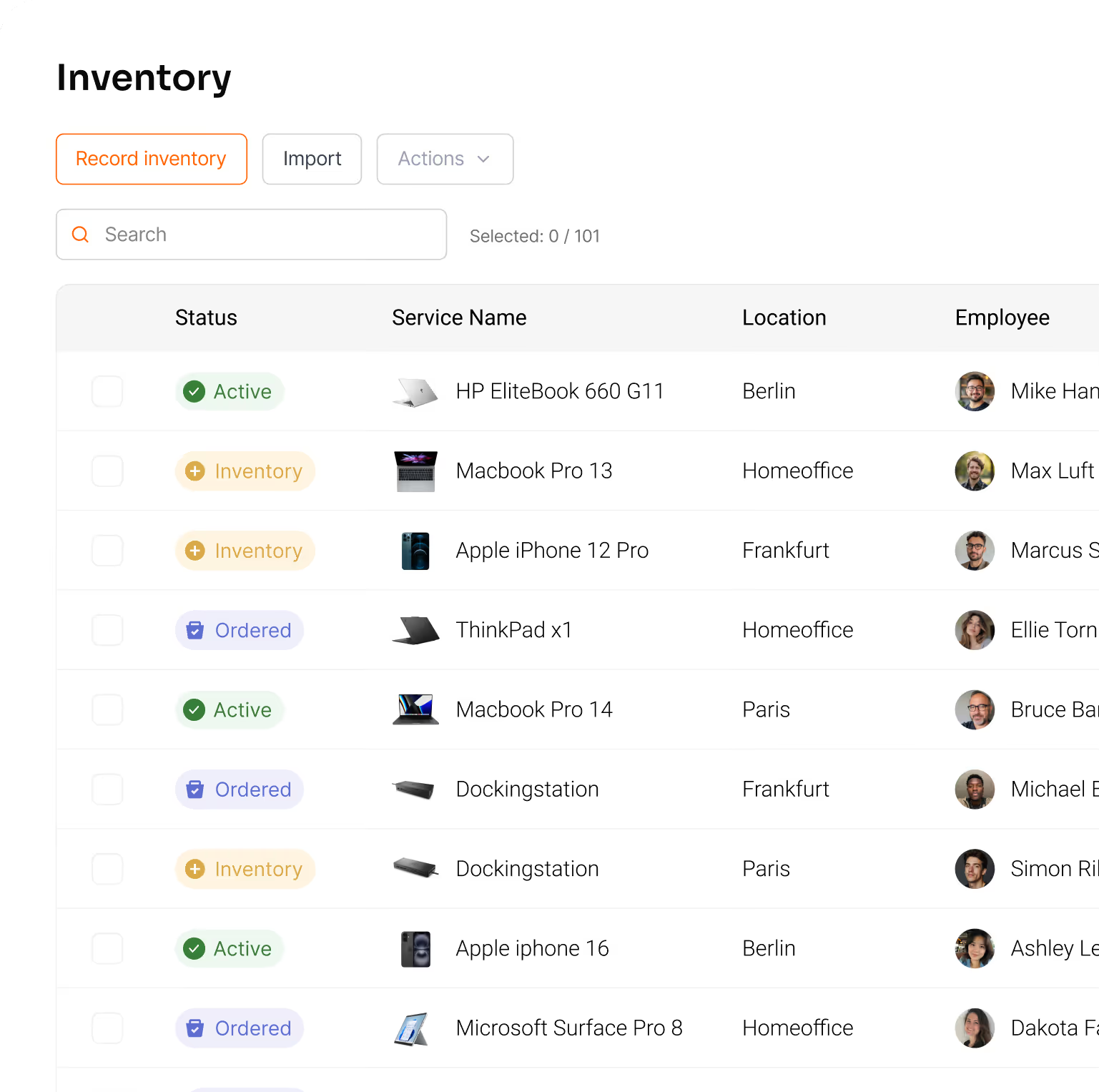
Track all your resources in one place & lways know what you have, where it is, and what it costs.
Learn more

Controlling

Track the total cost of your resources, forecast spending, and show exactly where your IT budget goes.

Learn more

FAQs

Find answers to common questions about integrating vendors into equipme, managing vendor relationships, automating procurement processes, and maintaining control over your supplier ecosystem.

Contact Support
How do I invite vendors to equipme?

Invite vendors directly via Partner Connect with their email address. They receive an invitation and can accept to unlock their portal. Once accepted, they can start sharing products and services with you.

What happens when a vendor product or service is ordered?

Orders automatically route to the correct vendor based on your configuration. Vendors receive the order in equipme with complete order context so no manual emails needed.

How does billing work for vendor services?

Billing is handled directly between the vendor and your company. The vendor issues invoices to you, and payment flows directly between the two parties.

Can I control which products vendors make available to my team?

Yes. You decide which vendors are connected and can selectively enable or disable their products in your Marketplace. Your approval workflows apply to all vendor offerings.

Can vendors see my full company data?

No. Vendors only see the information necessary for orders and fulfillment like customer name, billing address, and order details. They cannot access your full inventory, other vendor data, or internal company structures.

Can vendors see orders from other vendors?

No. Vendors only see the orders and services they provide. They have no visibility into your orders from other suppliers or your internal resource inventory.