Approval Processes

Multi-stage approvals that route themselves

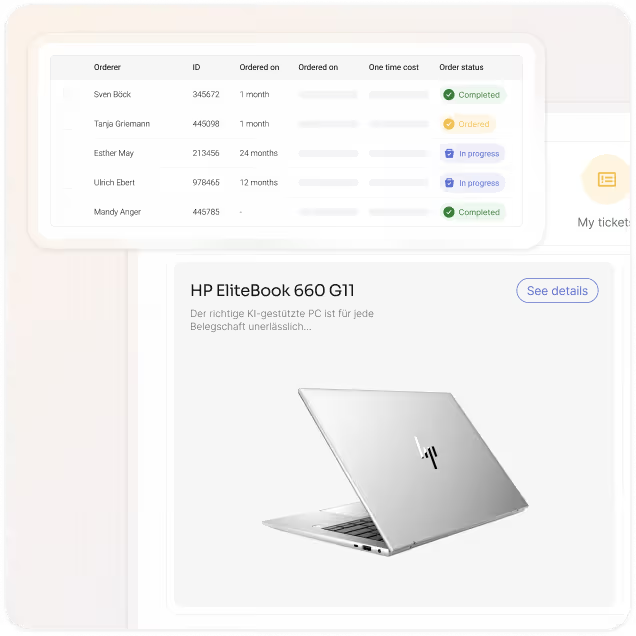
Every request that comes through equipme follows a clear path. Multi-stage approvals route automatically to the right approvers based on department, role, and request value.


Free trial
Book a demo
Benefits

The benefits of intelligent approval workflows

Speed up your approval process

Every request finds its way to the right approver automatically. Multi-stage workflows route by value, category, and role. Approvals that used to take days happen in minutes.

See exactly where each request goes

Manual routing means confusion about who decides what. equipme routes every request transparently to the right approver based on your defined rules.

Prevent overspending before it happens

Review budget details for every request before you approve. equipme shows you cost centers, spending limits, and financial impact at a glance. Make approval decisions with complete budget visibility.

Document every decision automatically

Clean asset data powers automation. Use equipme's Workflow Engine to eliminate routine tasks and free your team for what matters.

Build

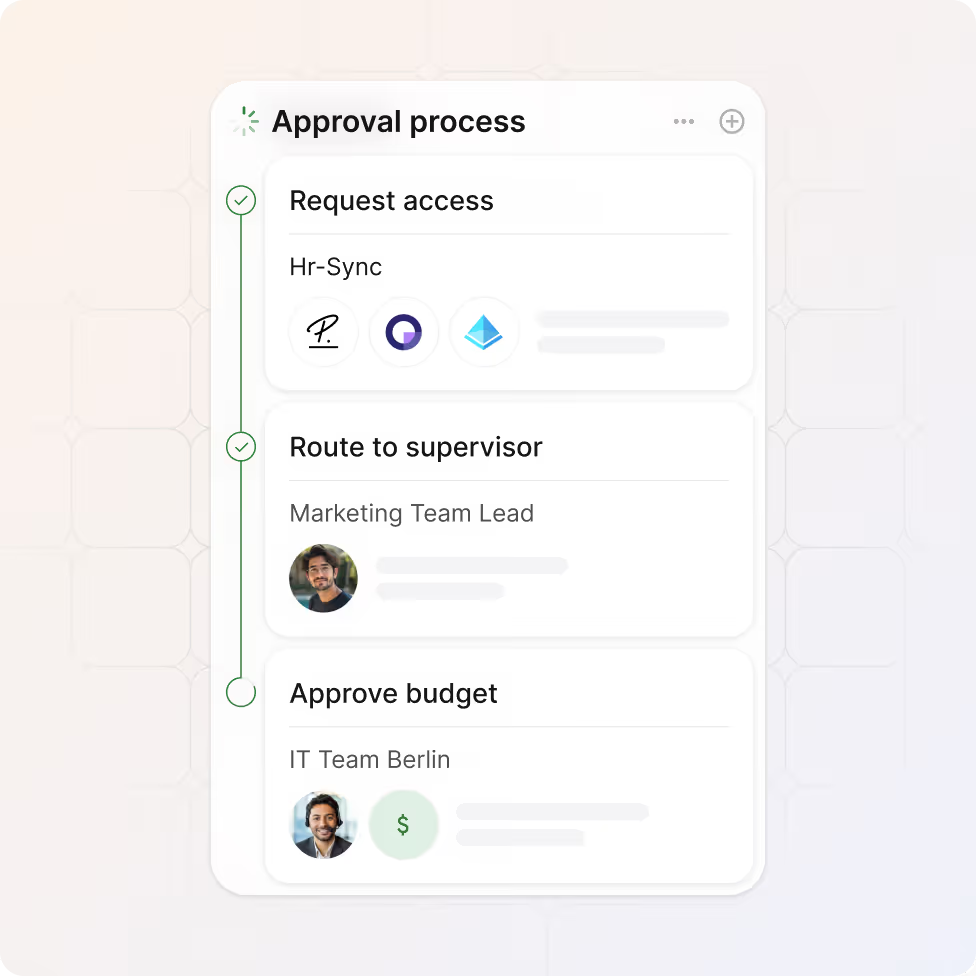
Build multi-stage approval workflows

Create approval workflows that match your company structure without writing a single line of code.

  • Define custom approval stages based on values
  • Set conditional logic so requests follow different paths
  • Adjust workflows anytime as your processes evolve
Route

Route automatically by role & department

Every request reaches the right approver instantly based on your defined rules.

  • Route by department, team, role, or cost center
  • Set escalation rules so nothing waits in limbo
  • Get notified when a request needs your attention
Rules

Set your own approval rules

Define exactly what gets approved and what doesn't. Budget limits, device age, cost thresholds, department rules.

  • Set spending limits per request, department, or cost center
  • Auto-approve requests under a defined budget threshold
  • Block requests that don't meet your requirements (e.g., device not old enough)
Document

Document every decision

equipme captures every approval, rejection, and change with timestamps. Complete visibility over who decided what and when.

  • Manage all open requests in one view
  • Timestamp every approval and decision automatically
  • Track all changes and maintain full version history
Fulfill

Convert approved requests into orders

Approved requests become active orders instantly and move into fulfillment automatically.

  • Approved requests bypass handoffs and go to fulfillment
  • Pick from existing stock or automatically route to suppliers
Integrations

Keep data in sync across all your systems

equipme connects to your HR systems, procurement systems, ERP, and fulfillment tools so inventory data stays accurate and manual updates become a thing of the past.


a colorful logo with a triangle
a colorful logo with a black background
a blue pyramid with black lines
a blue diamond with white dots
a logo of a company
a colorful logo on a purple background
a colorful logo with a triangle
All Integrations
a blue and orange gradient

Stop managing approvals manually

equipme turns approval bottlenecks into smooth workflows. Approvals that used to take days now take minutes.

Free Trial
Book a demo
More Features

Complete your

resource lifecycle

Approvals work best when it's connected to the rest of your processes. These features work seamlessly together to give you full control over your resources from request to resolution.

Warehouse Management

Track inventory across locations, fulfill requests from stock, and manage returns.

Learn more

On- & Offboarding

Automate resource setup for new hires and retrieval when they leave.

Learn more

Asset Management

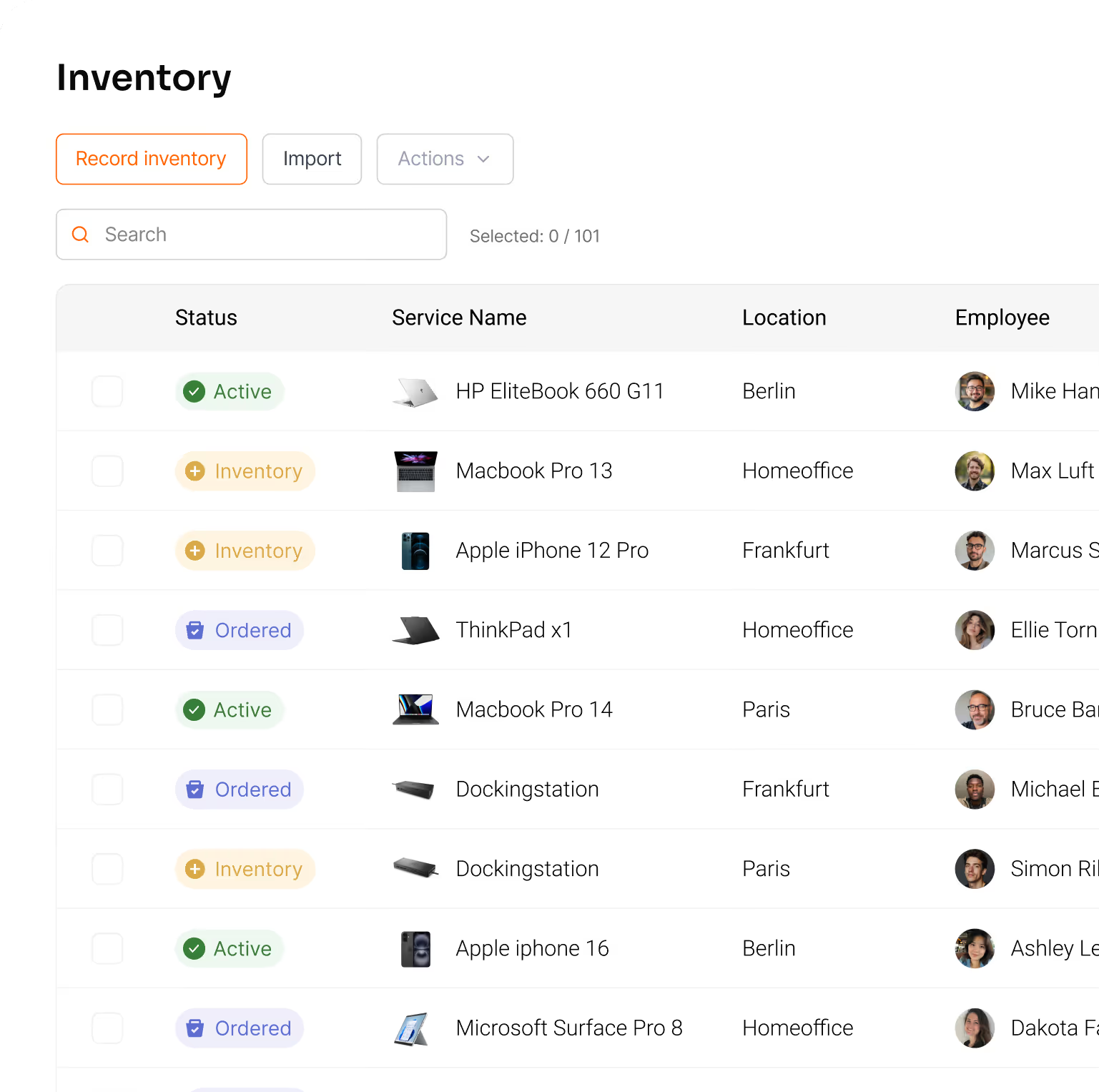
Track all your resources in one place & lways know what you have, where it is, and what it costs.
Learn more

Ticketing System

Report issues, route tickets automatically, and resolve them faster with full resource context.

Learn more

FAQs

Get answers to the questions IT managers ask most about setting up workflows, managing approvals, and maintaining control.

Contact Support
How do I set up approval workflows?

equipme's drag-and-drop builder makes it simple. Define stages, set rules based on value or category, and assign approvers by role or department. You don't need technical skills. Once configured, workflows run automatically every time a request comes in.

Can I customize approval rules?

Yes. Set different approval paths for different request types. Route high-value requests through multiple stages, while routine requests auto-approve. Change rules anytime as your processes evolve without disrupting active workflows.

What happens if a request is rejected?

The requester gets notified immediately with the reason. They can revise and resubmit, or the request stays documented in the system for audit purposes.

How do I monitor pending approvals?

A notification badge shows exactly how many requests need your attention. The approvals dashboard gives you a complete overview of all pending, approved, and rejected requests.

Can I set budget limits for approvals?

Yes. Define spending caps per cost center or approval stage. equipme automatically validates every request against your budget before it reaches an approver. If a request exceeds limits, you're alerted immediately and can decide whether to approve, adjust, or reject.