Distributed organizations

IT for every location, without IT at every location

Headquarters, regional offices, plants, warehouses, field teams and home offices all need different things. equipme gives each location exactly what it needs through self-service, while central IT keeps every asset, request and cost in one view.

Book a demo
Free trial
The Problem

Why IT struggles with
distributed organizations

Your IT team sits in one place. Your people, devices and requests don't. Every location works differently, and almost none of them has someone on site who knows IT.

Every location needs something different

A plant needs rugged tablets, the sales office laptops, the warehouse scanners. One standard kit doesn't fit, so requests end up in email threads.

No IT on site

When a device breaks in a regional office, someone has to diagnose it remotely, find a local provider or ship a replacement. Every case starts from scratch.

Assets scattered across sites and homes

Devices sit in several stock rooms, in transit or at employees' homes. Without one inventory you can't tell what's available, assigned or lost.

Onboarding depends on where people start

A new hire in the head office gets set up in a day. One in a remote site or home office waits a week. Offboarding is worse: returns from far-away locations rarely come back complete.

No view per location

Which site drives most requests? Where are licenses unused? Which location is overdue for a hardware refresh? Without location data, every answer is a guess.

The Solution

Five ways to run IT across every location

Different locations, one way of working. equipme connects requests, stock, onboarding, support and reporting so central IT can serve every site from one place.

Catalogs per location and role

Each site and role sees only the hardware, software and services that fit. Requests run through approvals that match your structure.

  • Scope catalogs by location type, role and country
  • Route requests to the right approver automatically
  • Keep one request process for every site

Stock across all sites

Track devices in every stock room, in transit and at home offices. Know what's available before you order.

  • See stock levels per warehouse and location
  • Fulfill requests from existing stock first
  • Move devices between sites instead of buying new

On- and offboarding anywhere

Trigger setup from your HR system, ship to the right address and collect returns, wherever someone works.

  • Start onboarding automatically from your HR system
  • Assign templates based on role and location
  • Track returns until every device is back

Support without IT on site

Employees report issues in the portal. Tickets are handled centrally or routed to the right local service provider.

  • Collect every request in one self-service portal
  • Route tickets internally or to external providers
  • Share full asset context with whoever fixes it

Transparency per location

See assets, requests and costs by site, and plan refreshes where they're due.

  • Break down assets and costs by location
  • Spot sites with unused licenses or aging hardware
  • Plan hardware refreshes before devices fail
a blue and orange gradient

One platform for every location you run

Replace emails, spreadsheets and site-by-site workarounds with one system your locations actually use.

  • Give every location the right equipment, not a one-size-fits-all kit

  • Serve sites and home offices without IT staff on site

  • Compare assets, requests and costs across locations
Book a demo
All your assets and services

Everything your locations need
in one place

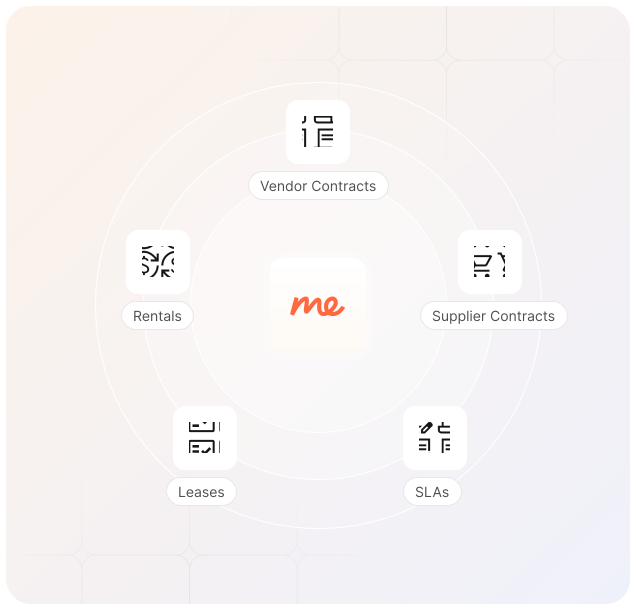
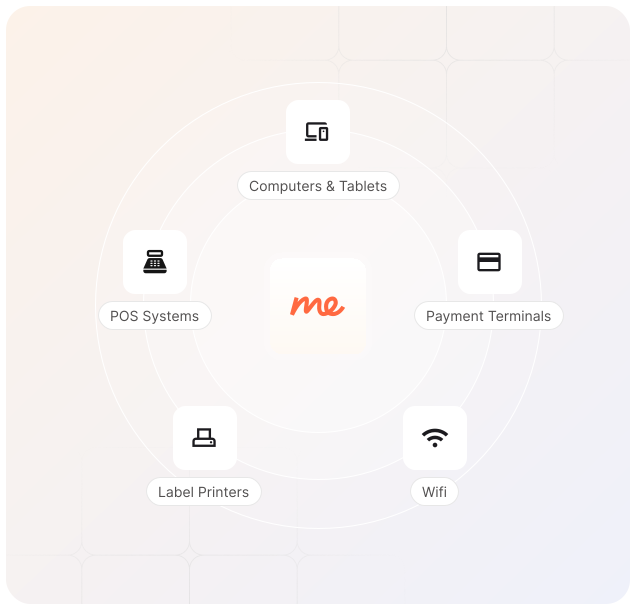
From laptops and licenses to scanners, vehicles and facility services: equipme covers what each location depends on, with one inventory and one request process.

FAQs

Running IT across many different locations raises specific questions. Here's what IT leads ask us most.

Contact Support
How do we control what location managers can do in equipme?

equipme uses role-based access control. For example, a location manager at a store can request and track items, but can't approve budgets or change system settings. You define the roles and permissions and we enforce them. This way, franchisees have autonomy within guardrails you set.

What if different stores want to order different resources?

equipme's marketplace lets you offer a curated selection of approved resources to each location. You control what's available in each store catalog, but managers can still customize within those guardrails. Want one location to have different POS? Approve it once and track it.

How do we track spending across locations?

You have real-time cost visibility across all your franchise locations. You can create reports by location, category, reguion. See spending trends compared to the previous month or benchmark one location against another. Built-in forecasts help you predict costs before they happen. Everything is centralized in one dashboard, so you spot spending anomalies instantly instead of discovering them in reviews

How do we keep setup consistent across locations?

equipme's template management lets you create repeatable service combinations for different scenarios like new locations. Once you define what a "standard store" should receive, you save it as a template. When you onboard a new location, you apply the template and everything is assigned automatically. You can activate or deactivate templates anytime, and update them as your service structure changes.

What if we have stores in different countries?

equipme supports multi-location operations globally. You can manage stores across multiple countries, currencies, and regions from one dashboard. Local managers log in, see resources in their language/currency, and submit requests. You maintain central control and visibility regardless of geography.

How is this different from managing a branch network?

Branch networks roll out the same setup to many similar sites. Distributed organizations run very different site types, so equipme lets you define catalogs, approvals and stock per location type.

Do we need IT staff at each location?

No. Employees request and report through self-service; central IT or external providers handle the rest.

Can we manage stock in several warehouses?

Yes. Every stock location is tracked separately, including devices in transit and at employees' homes.

How do we handle remote onboarding and returns?

Workflows triggered from your HR system assign equipment, send it to the right address and track returns until they're complete.

Can we see data per location?

Yes. Assets, requests and costs can be filtered and reported by location.