Central Client Management

Every customer portal in one place

Central Client Management gives you a single dashboard across all customers. Each client gets their own configurable portal while you keep full control over services, orders, billing, and support from one view.

Talk to an expert
Benefits

How centralized client management pays off

Onboard new customers in minutes

Template-based setup means you configure a new portal, assign services, set billing rules, and invite the first user all in one go.

Sell with tailored services and pricing

Offer each customer exactly what they need with a combination of your standard portfolio and a custom catalog with individual pricing and services.

Never lose track of an order again

Every order, delivery, and charge is tracked: From the first request to the final invoice, you see the full picture without switching tools or chasing status updates.

Resolve tickets faster with full context

When a customer reaches out, you already see their portal, active services, open orders, and ticket history.

Costumers

Manage all customers in one place

Each customer gets their own isolated portal and you manage everything from your central view.

  • Set up new customer portals in minutes with configurable settings
  • Control per customer which features are active
  • Configure billing rules, approval processes, and catalog access individually
Customize

Tailor your services to each customer

Start from your standard portfolio and add services to build fully custom catalogs per client.

  • Offer your standard service portfolio
  • Combine standard offerings with individual services
  • Set customer-specific pricing
Orders

Track every order from request to billing

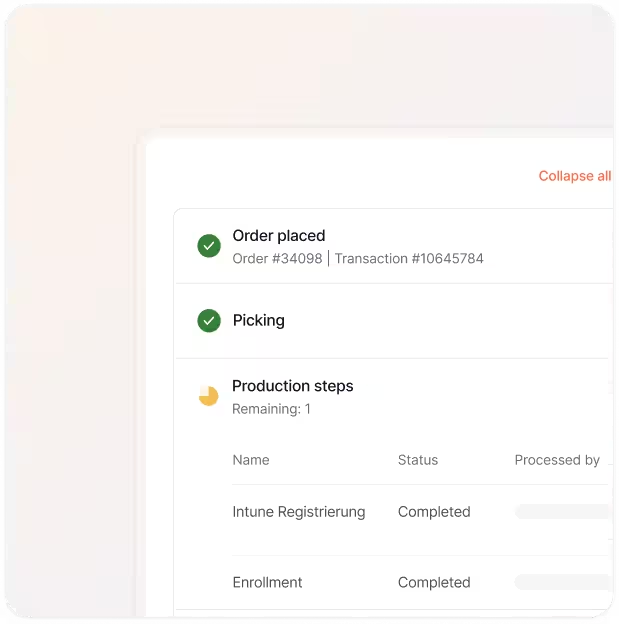
See all open orders per customer in one view. Once fulfilled, orders move to accounting automatically.

  • View all open orders per customer with status and value
  • Completed orders flow directly into billing
  • View full order history for transparency
Services

Manage active services and stock

Track and manage every service, device, and subscription assigned to a specific customer.

  • Full overview of all active services and assets per customer
  • Track service status, activation dates, and renewal terms
  • Manage service offerings and track what’s been unlocked, assigned, or needs renewal
Tickets

Handle customer requests without email chains

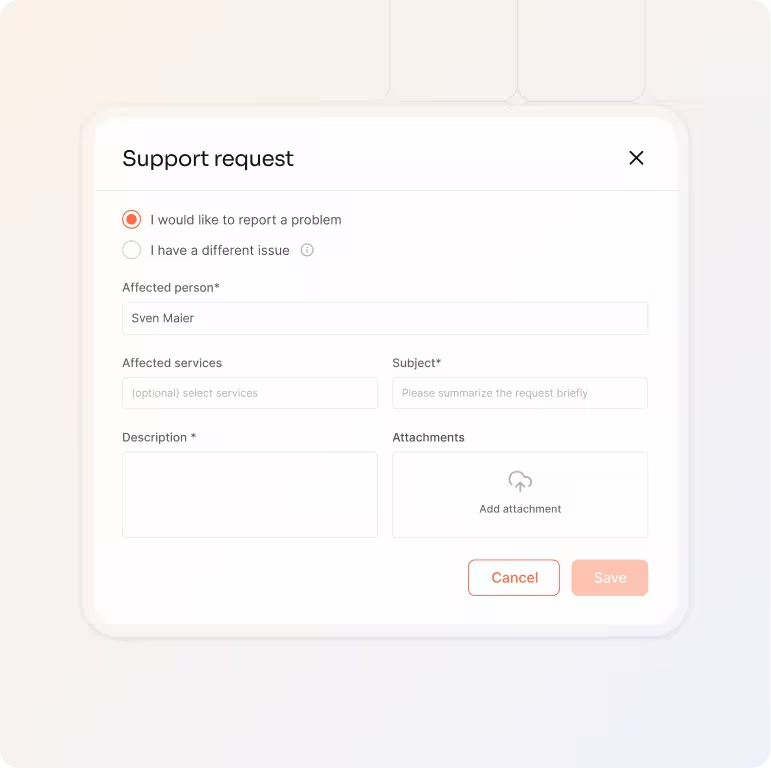
Customers create support tickets and service requests directly in their portal. You see all tickets with full context.

  • Customers submit structured requests through their portal
  • Every ticket is tied to a customer with full service context
  • All communication, status updates, and documentation in one place
a blue and orange gradient

One dashboard for all your costumers

Give every customer their own portal, manage all of them from one dashboard.

Talk to an expert
More Features

Features that work with

Integrated Billing

Billing doesn't exist in isolation. Connect it with your service portfolio, fulfillment workflows, and client management for a complete order-to-invoice process.

Service Portfolio Management

Build, price, and publish your entire service catalog all once, for all customers.

Learn more

Fulfillment

Process orders, dropship and track delivery without touching a spreadsheet.

Learn more

Integrated Billing

Turn delivered services into invoices automatically without manual reconciliation.

Learn more

Workflow Engine

Automate approvals, onboarding, and provisioning across all your customers.

Learn more

FAQs

Answers to the questions service managers ask most about setting up client portals, managing orders, and keeping service delivery under control.

Contact Support
How long does it take to set up a new customer portal?

Minutes, not weeks. Enter the company details, configure portal settings (approval rules, catalog access, billing), and invite the first user. The portal is live immediately. You can fine-tune settings anytime after setup.

Can each customer have different services and pricing?

Yes. Each customer can inherit your global service portfolio or get a fully customized catalog. You set individual pricing, combine standard offerings with customer-specific services, and manage everything from your central dashboard.

How does order tracking work across multiple customers?

Every customer has their own Open Orders tab showing all pending requests with status, value, and timeline. Once orders are fulfilled, they move to Accounting automatically. You can also view all open orders across all customers from your central dashboard.

What happens when a customer submits a support ticket?

Tickets created in the customer portal appear in your central dashboard with full context. You can respond, assign, escalate, and close tickets – all with structured documentation. No more email chains or lost requests.

Can customers manage their own users and permissions?

Yes. The first user you invite automatically becomes the portal administrator for that customer. From there, they can invite their own colleagues, assign roles, and decide who gets access to which services. You keep full visibility from your central dashboard and can adjust permissions or settings at any time.