Fulfillment

From order to delivery

Fulfillment turns confirmed orders into delivered, activated services. However you deliver, every step is tracked, every status visible, every handoff structured.

Talk to an expert
Benefits

The impact of structured fulfillment

One flow for every order type

No more switching between tools for hardware shipments, software provisioning, and service activation. Equipme handles all order types through one consistent process.

Stop coordinating fulfillment across tools

Whether you ship from stock, procure new, or dropship via a supplier. Your team runs one process instead of juggling emails, ERPs, and spreadsheets.

No more lost handoffs between teams

Every order moves through defined stages so nothing falls through the cracks between procurement, provisioning, shipping, and activation.

Manage the fullservice lifecycle

Orders don't end at delivery. Handle changes, swaps, returns, and decommissioning all within the same system, all connected to the original service.
Ship

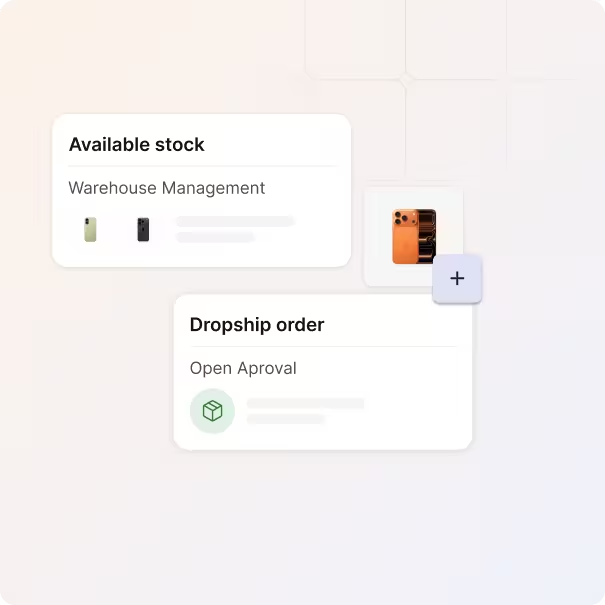
Ship from stock, procure new, or dropship

Not every order is fulfilled the same way. Some ship from your warehouse, others go straight to a supplier.

  • Route orders to your warehouse when you have stock
  • Dropship orders directly from supplier to customer
  • Keep track of every order regardless of how it's fulfilled
Process

One process from request to live service

Every order follows a defined path and no steps get skipped, no handoffs get lost. Your team always knows what needs to happen next.

  • Move orders through defined stages with clear status
  • Provisioning and delivery run within a fulfillment group
  • Orders can be cancelled before fulfillment is completed
Change

Handle changes and add-ons of services

Services don't stay static. Employees need upgrades, additional licenses, or configuration changes.

  • Process service changes, upgrades, and add-ons
  • Every change is linked to the original service record
  • Keep a history of what was modified, when, and why
Return

Manage returns, swaps, and decommissioning

When a service reaches end-of-life, the process shouldn't fall apart. equipme covers the full cycle.

  • Initiate returns and track devices back to warehouse or disposal
  • Swap services with a structured replacement flow
  • Decommission services and release licenses automatically
Integrations

From request to delivery without the manual work

Connect your tools and automate your entire fulfillment process, so your team spends less time coordinating and more time delivering.

a blue pyramid with black lines
a blue diamond with white dots
a logo of a company
a colorful logo on a purple background
a colorful logo with a triangle
All Integrations
a blue and orange gradient

Automate your fulfillment process

equipme gives you the visibility and control you need to manage costs, track orders, and optimize performance. Book a demo or start your free trial today.

Talk to an expert
More Features

Features that work with

Integrated Billing

Billing doesn't exist in isolation. Connect it with your service portfolio, fulfillment workflows, and client management for a complete order-to-invoice process.

Central Client Management

Manage every customer, contract, and service level from a single dashboard.

Learn more

Service Portfolio Management

Build, price, and publish your entire service catalog once, for all customers.

Learn more

Integrated Billing

Turn delivered services into invoices automatically without manual reconciliation.

Learn more

Workflow Engine

Automate approvals, onboarding, and provisioning across all your customers.

Learn more

FAQs

Get answers to the questions operations leaders ask most about setting up and running their fulfillment workflows.

Contact Support
What's the difference between dropshipping and warehouse fulfillment?

With dropshipping, the order is routed directly to an external supplier who ships to your customer. With warehouse fulfillment, you ship from your own stock. You can choose the method per order or even mix both within the same customer order.

What order stages does the fulfillment flow cover?

Every order moves through a defined sequence: order placed → order confirmed → provisioning → delivery → order processed → service activated. If an order needs to be cancelled, it can be stopped before fulfillment is completed. After a service is activated, post-delivery actions like returns or changes are handled as lifecycle events.

How can I handle service changes?

Changes, add-ons, upgrades, and configuration adjustments can all be processed through the same system. Every change is linked to the original order and active service record, so you always have a complete audit trail.

How does end-of-life management work?

When a service reaches end-of-life, you can initiate a return, process a swap, or decommission the service entirely. Devices are tracked back to your warehouse or disposal. Licenses and access rights are released automatically when a service is unsubscribed.

Can I use fulfillment across multiple customers?

Yes. Fulfillment works across all your customer tenants. You manage one consistent process from your central dashboard, while each customer sees only their own orders and delivery status in their portal.